
Multi-location retail chain
Three stores and one warehouse sell the same SKUs.
Best setup: One workspace, four branches
One catalog, easy transfers, and a single reporting view.
Operations Structure
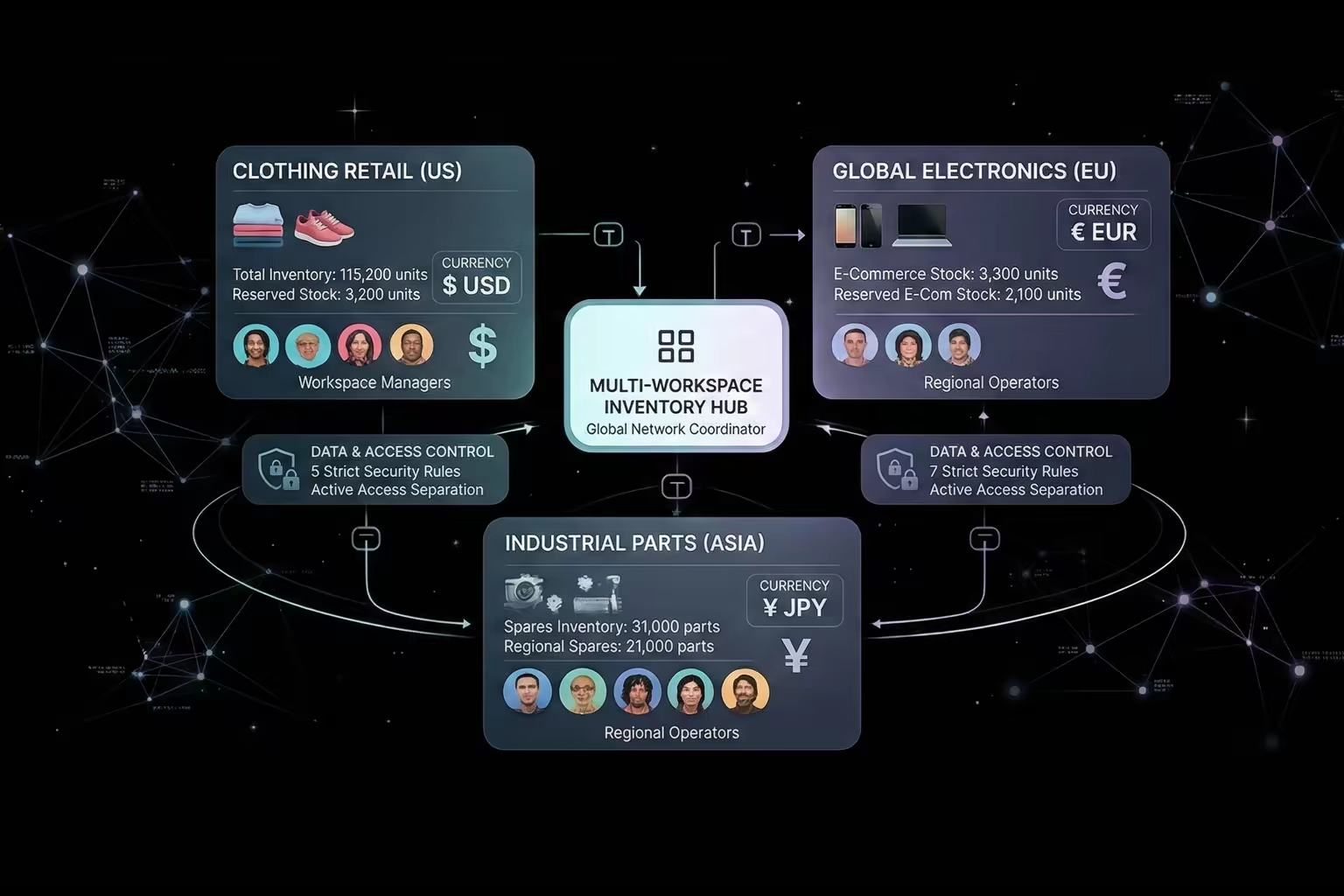
Keep one workspace when teams share catalog, transfers, and inventory truth. Split into separate workspaces when operations need hard boundaries for data, currency, settings, or client isolation. The expensive mistake is treating branches and workspaces as the same thing.
Shared stock truth when it belongs together
Keep one workspace when teams need the same catalog, transfers, and reporting view.
Hard separation when it does not
Split into separate workspaces when teams need different catalogs, currencies, settings, or client boundaries.
Cleaner permissions
Invite only the users who should work inside a given operational boundary instead of using visibility workarounds.
Reporting that matches the real operation
Keep reporting consolidated when inventory is shared, or isolated when the business genuinely needs hard boundaries.
01 — Branch versus workspace
A branch answers where stock is stored. A workspace answers which teams share catalog, settings, transfers, and reporting. If the requirement is in the workspace column, adding more branches will not solve it.
Branch = where stock is stored
Workspace = what data is shared
02 — Quick decision
If the team needs one inventory truth, stay inside one workspace. If the team needs hard separation, split. The fastest decision usually comes from answering these five questions.
Need transfers between operations?
One workspaceShared item catalog?
One workspaceConsolidated reporting?
One workspaceStrict data separation?
Separate workspacesDifferent currency, accounting, or custom fields?
Separate workspaces03 — Isolation proof
This is the practical check for whether you should split the environment or keep locations together inside one operating model.
Workspace scope
Branch scope
If the requirement sits in the workspace list, changing branches will not fix it.
04 — Real scenarios
The correct structure depends on whether inventory truth is shared. These are the patterns that show up most often in real operations.
Three stores and one warehouse sell the same SKUs.
Best setup: One workspace, four branches
One catalog, easy transfers, and a single reporting view.
One business runs wholesale and retail and the teams conflict on pricing and item structure.
Best setup: Two workspaces
Clean boundaries and fewer accidental edits.
Client A must never see Client B data.
Best setup: Workspace per client
True isolation, safer permissions, cleaner audits.
You want to test a new catalog or workflow without disturbing current operations.
Best setup: New workspace for pilot
Fast testing with a controlled blast radius.
Teams in different regions report in different currencies and accounting contexts.
Best setup: Separate workspaces by currency
Cleaner valuation and fewer reporting disputes.
A seasonal pop-up needs separate stock control for three months.
Best setup: Branch if shared, workspace if isolated
The structure should follow whether inventory truth is shared or not.
05 — Common mistakes
Most structure problems come from over-splitting too early or trying to use branches for isolation that should live at workspace level.
You lose inter-store transfers and duplicate SKU maintenance across every location.
Fix: Use one workspace with branches unless strict isolation is genuinely required.
Teams collide on catalog structure, custom fields, and process expectations.
Fix: Split by operation model when teams need independent governance.
Sensitive data is still visible to broader workspace users.
Fix: Use separate workspaces when the requirement is hard isolation.
Workspace sprawl adds admin overhead and decision confusion.
Fix: Set a naming pattern before creating multiple workspaces.
06 — FAQ
A workspace is an independent operational environment with its own catalog, settings, users, reports, and integrations. A single business can run one or many workspaces depending on how operations are structured.
Use branches when operations share products, need transfers between locations, and want consolidated reporting. Use separate workspaces when operations need strict data isolation, different currencies, or independent catalog governance.
Yes. One legal business can run multiple workspaces for operational separation, such as wholesale and retail divisions or separate client accounts in a 3PL setup.
Stocklyst does not auto-clone workspaces, but teams can mirror the same settings pattern manually when they want similar currency, SKU, custom field, or tag rules.
Separate workspaces cannot transfer stock between each other, share a catalog, or produce consolidated in-app reports. You gain hard isolation, but cross-workspace views require external combining.